
Quick Answer
Folded label artwork should show more than the finished graphic. It should explain how the label is folded, opened, applied, and read on the package. Before requesting a quote, identify the folded size, unfolded size, panel order, crease or fold lines, front panel, opening edge, adhesive and non-adhesive zones, bleed, safe areas, barcode position, and application direction.
A flat PDF may look correct on screen while still creating problems after production. A panel can appear in the wrong order, a barcode can cross a fold, adhesive can enter the opening area, or the finished label can be too large for a curved package. A marked dieline and a physical or structural sample give the printer and buyer a common reference before mass production.
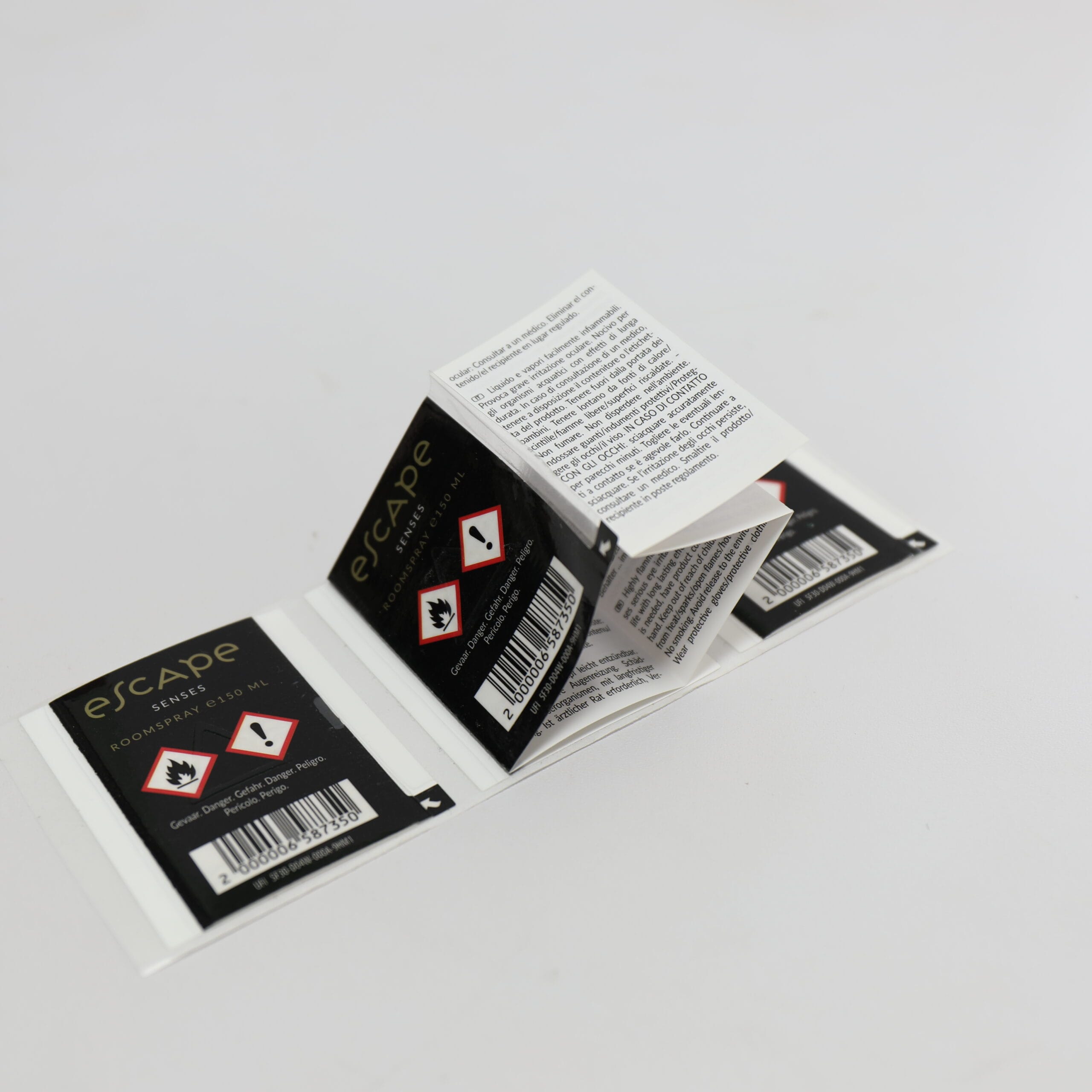
Why Folded Label Artwork Needs a Structural Map
A standard pressure-sensitive label is often reviewed as one printable face plus one adhesive side. A folded label adds a physical sequence. The reader may see the front panel first, open the label from a defined edge, read several inner panels, and then close the structure again. The artwork therefore has to communicate both visual content and physical movement.
This matters when a package needs more information than the visible label area can hold. The additional panels may be used for multilingual text, directions, ingredients, warnings, product information, promotional copy, or other content that the brand has approved for the target market. The label format does not decide whether the content is legally sufficient. The brand owner remains responsible for the final copy, translations, regulatory wording, and artwork approval.
The most common prepress mistake is to send only a flat artwork file and assume the production team will infer the intended construction. A supplier can review a file, but a missing structure map leaves too many questions unanswered: Which panel is the cover? Which direction does the label open? Which edges are folded? Which area receives adhesive? Is the stated size the closed size or the fully open size?
A good folded label artwork package answers those questions before the quote is finalised.
What a Folded Label Dieline Should Show
A folded label dieline is not just a cutting outline. It is a working map that connects the finished shape with the printed panels and the application method. The exact line names may vary between suppliers, so use a legend and confirm the file with the printer before production.
At minimum, the working file should identify:
- Finished folded dimensions;
- Fully unfolded dimensions;
- Panel widths and heights;
- Fold or crease positions;
- Front, back, and inner panels;
- Opening edge and opening direction;
- Adhesive and adhesive-free areas;
- Bleed and safe areas;
- Barcode and QR code positions;
- Roll direction or leading edge, if supplied on rolls;
- The package position and application orientation.
Do not place production notes directly into the final printed artwork without distinguishing them from customer-facing content. A separate proof layer, colour-coded legend, or annotated PDF is easier for the artwork team and the supplier to check.
How to Mark Panel Order and Reading Direction
Panel order is one of the details that can look obvious to the designer and still be unclear to the production team. A folded label should be reviewed in at least three states:
- Fully unfolded, showing all panels in sequence;
- Closed, showing the outside reading order and front-facing panel;
- Opened, showing the inside reading order and the relationship between panels.
Number the panels on the working proof. The numbers are for production review and do not need to appear on the final label. Use simple terms such as front panel, back panel, inside left, inside right, and opening panel. If the label wraps around a container, add a package-view drawing that shows where the front of the package, seam, cap, or neighbouring label is located.
Reading direction should be checked after folding, not only across the flat file. Text that reads correctly from left to right when unfolded may be rotated or reversed after the panels are closed. This is especially important for multilingual artwork, variable information, instructions, and any content that must appear in a specific sequence.
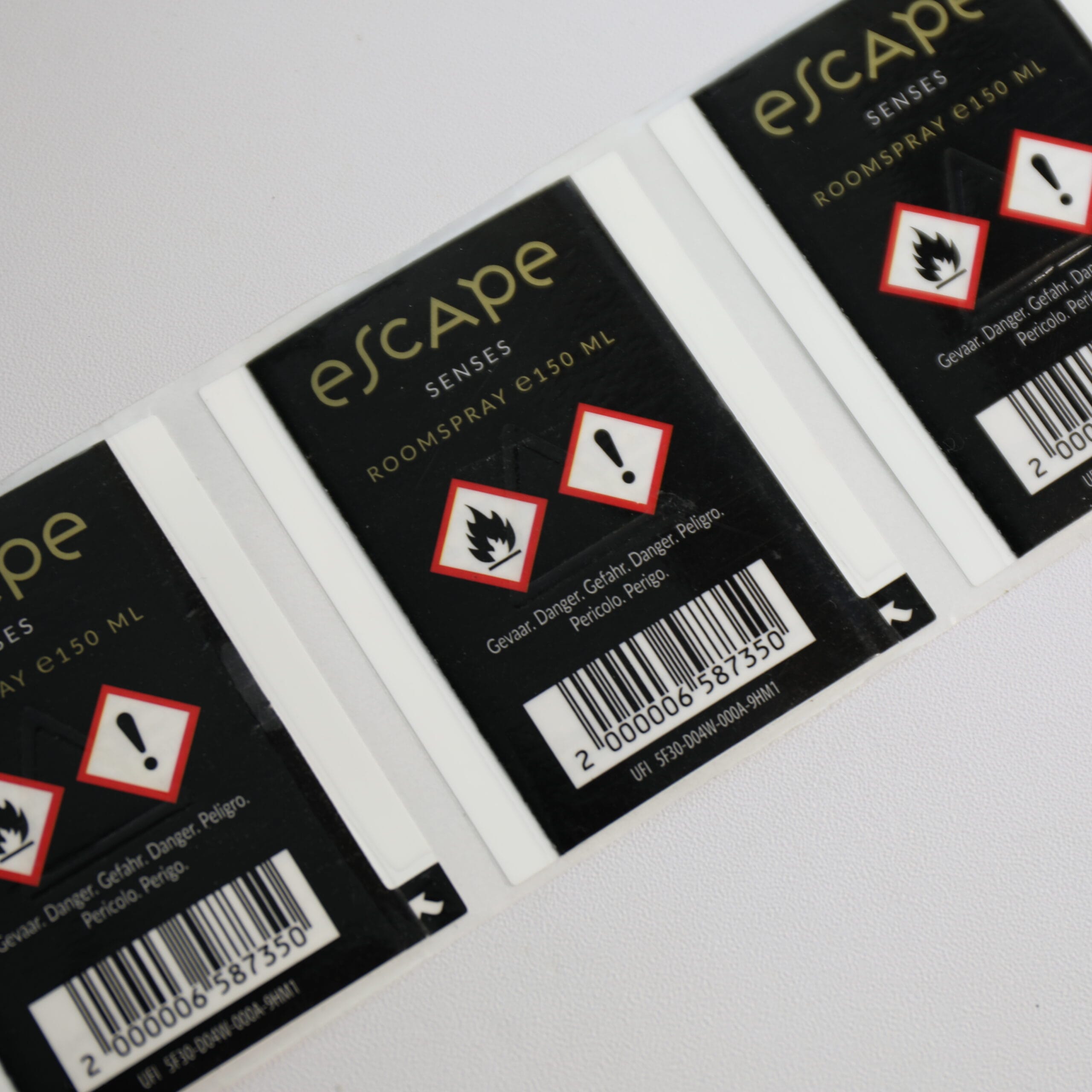
Fold Lines, Bleed, and Safe Areas
Fold lines are functional boundaries. They determine where the material changes direction and where the reader sees a transition between panels. Important text, fine borders, barcodes, QR codes, foil details, and small symbols should not be placed across a crease unless the construction and process have been specifically reviewed.
The proof should distinguish at least four types of information:
- Cut line: the final outside shape or trim boundary;
- Fold or crease line: where the label changes direction;
- Bleed area: artwork extending beyond the finished edge where required;
- Safe area: the region where important text and graphics can remain clear of cuts and folds.
The distance required around a fold, cut, or adhesive area depends on the actual construction, material, finishing, and production method. Do not copy a generic margin from another label project and treat it as a universal specification. Ask the supplier to confirm the working template for the selected format.
Artwork should also show whether a fold is intended to be sharp, rounded, hidden inside, or visible from the outside. A visual proof may show the same line in several views so the team can compare the flat layout with the closed label.
Adhesive Zones and the Opening Edge
The adhesive pattern determines whether the folded label stays attached while still allowing the user to open it. A construction may include a permanent adhesive base, a hinged section, an adhesive-free opening area, or a resealable panel. These areas should be marked on the structural drawing rather than described only in an email.
If adhesive extends into an opening area, the label may stick shut, tear during opening, or leave adhesive where the user expects a clean panel. If too little adhesive is used in a closure area, the panel may lift during packing, transport, or ordinary handling. Neither result can be judged reliably from a flat PDF alone.
The opening edge should be visible in the proof. Mark whether the user lifts from the left, right, top, bottom, or a defined corner. Then show how the opening edge relates to the package. A cap, seam, handle, recessed area, or neighbouring label can make an otherwise reasonable opening position difficult to use.
The package surface also needs to be part of the brief. Glass, plastic, metal, coated paperboard, textured surfaces, and flexible films can present different application conditions. Curvature, taper, condensation, oil, dust, and application pressure may affect the final result. Material and adhesive selection therefore require project-specific review and, where appropriate, sample testing.
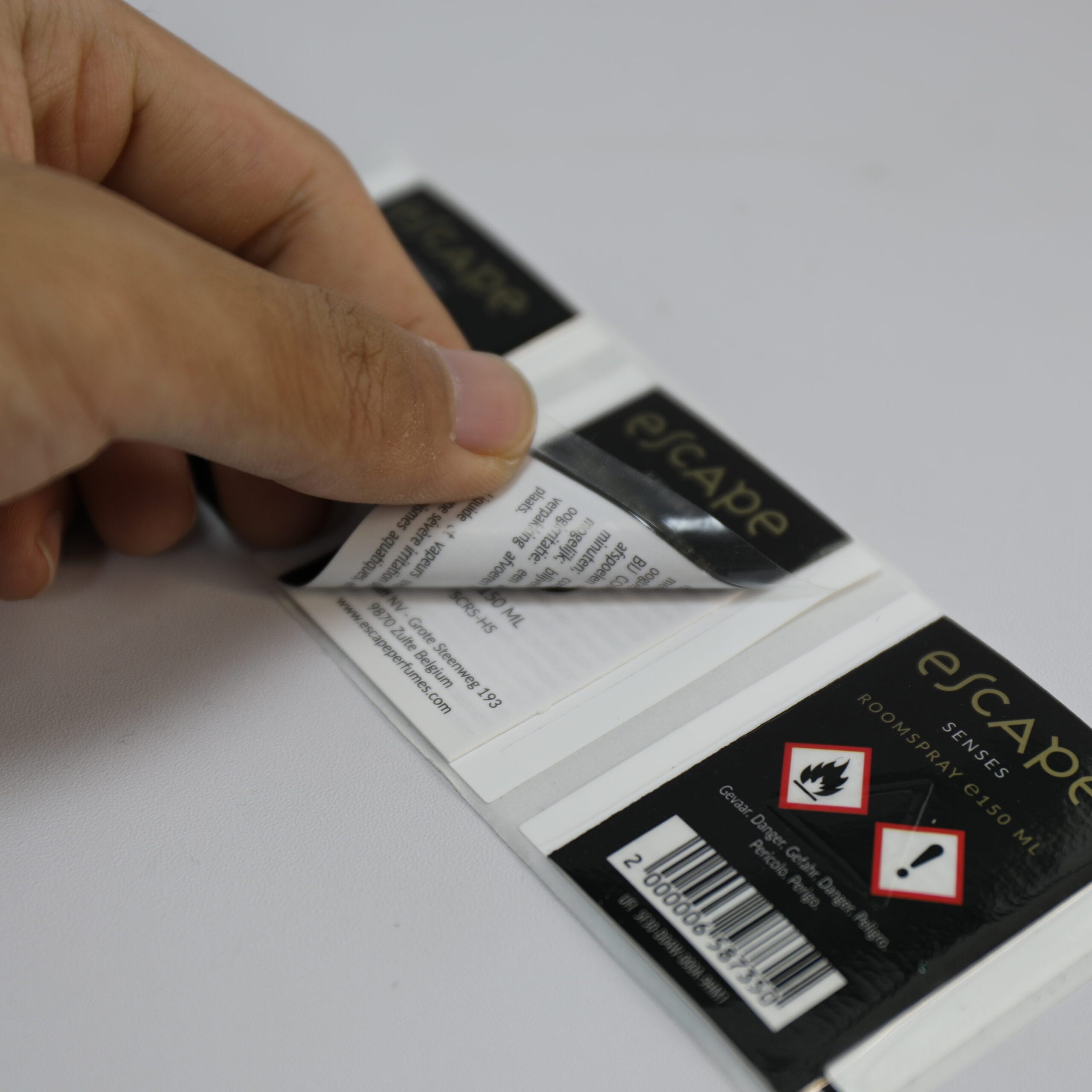
Artwork Requirements for Hand and Machine Application
A folded label applied by hand may allow more flexibility in orientation and placement. A label supplied for an application line usually needs additional information, such as roll direction, leading edge, spacing, core, winding direction, finished thickness, and the position of the folded section.
Tell the supplier how the label will be applied before the artwork is locked. If the project may change from sheets to rolls, or from hand application to machine application, state that early. The construction may be possible in both formats, but the imposition, spacing, orientation, and proofing requirements may not be identical.
For a machine application project, the artwork review should be connected to a representative application test. Check whether the folded structure feeds consistently, separates correctly, remains within the intended package outline, and opens from the planned edge. For hand application, check whether the operator can locate the opening edge and place the label consistently without distorting the folds.
These are checks to plan, not performance guarantees. The actual result depends on the selected label construction, package, equipment, settings, and use conditions.
What to Check in a Folded Label Sample
A folded label sample should be reviewed as a working package component, not only as a printed picture. Use the following sequence:
1. Check the closed size
Measure the folded label and compare it with the approved package position. Confirm that the front panel, edges, cap, seam, and neighbouring labels have the expected clearance.
2. Open the label in the intended direction
Confirm that the opening edge is easy to identify and that the panel sequence matches the approved proof. Open and close the label more than once if repeated access is part of the intended use.
3. Check the inner panels
Review small text, symbols, ingredients, instructions, translations, and illustrations at the finished size. Do not rely only on an enlarged screen proof.
4. Inspect folds and adhesive areas
Look for misaligned creases, adhesive in the wrong zone, lifting edges, unwanted sticking, or a closure that does not hold as expected. Record the observation against the approved structure rather than making an informal judgement from one sample.
5. Check barcode and QR code placement
Confirm that the code is not crossed by a fold, covered by adhesive, distorted by the package curve, or hidden when the product is in its normal position. Scan testing should follow the requirements of the specific project.
6. Check application method
Apply the label to the real package or a representative sample. For machine application, use the intended direction and a controlled setup where possible. For hand application, observe whether the placement and opening action can be repeated consistently.
Common Folded Label Artwork Mistakes
Sending a flat PDF without a fold map
A flat PDF may contain all the text and images but still fail to show the intended physical sequence. Add a marked dieline and a closed/open proof.
Confusing folded size with unfolded size
These are different measurements. State both on the quote request and artwork proof. If a supplier receives only one number, the construction may be interpreted incorrectly.
Placing important content across a crease
A headline may look continuous on screen but become hard to read after folding. Keep critical content away from the crease unless the production team has confirmed the design.
Leaving adhesive areas undefined
The printer should not have to guess which panel must stay open or which area needs permanent attachment. Mark adhesive, non-adhesive, hinge, and opening zones separately.
Approving only the digital appearance
A digital proof cannot show every aspect of folding, opening, closing, package curvature, or application. A structural mock-up or physical sample is particularly important when the label has several panels, a curved package, fine finishing, or machine application requirements.
Changing the package after artwork approval
A different bottle diameter, surface coating, taper, seam, or application method can change the label review. If the package changes, recheck the construction before mass production.
What to Send for a Folded Label Quote
To make a folded label artwork review useful, send as much of the following as possible:
- Product or package photos;
- Package material and surface condition;
- Label position and available surface area;
- Folded and unfolded dimensions;
- Number of panels or pages;
- Content volume and language count;
- Opening and closing requirements;
- Adhesive or reseal requirements;
- Artwork, dieline, or an early content map;
- Barcode, QR code, variable data, or traceability needs;
- Hand or machine application method;
- Sheet, roll, or other delivery format;
- Quantity, SKU list, and destination market.
If the artwork is not ready, a content outline and package drawing can still help define the likely structure. Mark uncertain details as pending rather than filling them with assumptions. The final file, product content, translations, regulatory wording, and artwork approval remain the responsibility of the brand owner.
For related format decisions, see the Folded Labels troubleshooting guide, the Multi-Layer Labels purchasing guide, and Extended Content Booklet Labels. If the label will run on an automated line, review the requirements for automatic roll labels and labeling machines before finalising the roll direction.
FAQ: Folded Label Artwork and Sampling
What should a folded label dieline include?
It should identify the cut shape, folded and unfolded dimensions, panel sizes, fold lines, front and inner panels, opening edge, adhesive zones, bleed, safe areas, barcode position, and application orientation. Confirm the supplier’s template before production.
What is the difference between folded size and unfolded size?
The folded size is the closed footprint of the label. The unfolded size is the full printable area when the panels are opened. Both measurements should be shown because they affect package fit, artwork layout, and quotation review.
Can folded labels be supplied on rolls?
Some folded-label constructions may be prepared for roll delivery, but the unwind direction, spacing, fold position, thickness, and application equipment must be reviewed. A sheet layout should not be transferred to a roll without checking the production requirements.
Should I request a physical sample?
A sample is recommended when the label opens or closes, wraps around a curve, includes fine finishing, carries small text or codes, or must be applied by equipment. Review the sample on the actual package or a representative package with the intended application method.
Who approves the final folded label artwork?
The printer can review production layout, construction, and application questions. The brand owner or product team should approve the final text, translations, barcode data, regulatory wording, and artwork version before production.
How to Request a Folded Label Artwork Review
Send the package information, folded and unfolded dimensions, panel count, content outline, artwork or dieline, adhesive requirements, application method, quantity, and any barcode or multilingual requirements. If some details are still undecided, list them clearly as open questions.
You can submit these materials through the OnePrintPack custom label quote form. A production review can begin with the structure and artwork requirements; final material, adhesive, finishing, sampling, and delivery details should be confirmed for the specific package.
Source and Risk Notes
- The diagrams in this article are neutral technical illustrations used to explain folded-label structure, artwork preparation, and sample inspection. They are not presented as a customer case or a production-performance guarantee.
- Folded label terminology varies between suppliers. Confirm the physical construction, panel sequence, opening method, adhesive pattern, and application format instead of relying on the product name alone.
- Material suitability, adhesive performance, barcode readability, application compatibility, regulatory wording, and delivery timing require project-specific confirmation.
- OnePrintPack can review production conditions and artwork requirements, but the brand owner remains responsible for final product content, approved files, and destination-market compliance.

One Response